Hi, new user here, trying to get my head around yet another lighting system! At the moment I’m just using two custom fixtures. Both are being controlled successfully by Photon.
I have an issue where I record a preset just with data (colour) from one light fixture, using the “last changes only” feature. But on playback it’s also affecting the second fixture. So the colours on both fixtures are changing. When I check the preset (long hold on preset, then select “edit”) only one of the fixture groups is selected (tick in yellow circle) and none of the parameters from the second fixture group are selected. So I’m not sure why the colours on both fixtures are changing. If anyone can shed some light on this (sorry, pun not intended) I’d be very grateful. And greetings from Australia!
Hi! Welcome
Just to clarify the behaviour: when you recall the preset, which of these two cases are you seeing?
• Case A: The interface updates “correctly” (it only shows changes for the fixture you recorded), but the actual fixtures both change colour anyway.
• Case B: The interface updates “incorrectly” (it shows both fixtures changing / both colour values moving), and in that case the fixtures also both change.
The reason I’m asking is that your preset setup sounds correct (only one fixture group ticked, no parameters selected for the second group), so ideally pressing that preset should only recall/override the recorded fixture’s colour data, not the other one. Knowing whether the issue is UI-only or actually on the DMX output will help narrow it down quickly
Thanks for your response! It’s case B - the interface updates “incorrectly”. I press the preset for the LED pars, and the colour of both fixture groups changes on the interface, as well as the lights themselves. I’ve tried redoing the presets a couple of times to see if I’m doing something wrong.
Can you (from the home page) share the show with me by private message ?
Can you active the Live Mode (bottom left corner) and tell me if it’s better ?
Yes I’ll share the song file with you. I tried redoing the whole thing on another iPad, making up the fixture profiles from scratch, then the presets, with exactly the same result.
I tried activating Live mode, but it made it worse. The LED par started strobing. It changed colour with the different presets, but would but didn’t stop strobing. Whenever I pressed a preset for one light, the other fixture turned off. And vice versa (in reverse). And it was still case B - the interface updates “incorrectly”.
I think I may have found out why this is happening. Look at the attached screenshot. When you click on where it says “1 device” to select/see what fixtures are in the group, you get the option of all the patched devices, & then the overall option of “All” or “Selected”. I select the device/s that I want and then click on “selected”. However, when I check this setting again, it always shows “All” as having been selected. I presume this means that when I click on a preset for this group, it then affects ALL fixtures, not just the ones I want? And if this is the issue, is it possible to fix this? Thanks.
Having the same issue. Saved a preset with one group selected the other group is affected when activating the preset. In my case it’s a laser and a light. I’d like to save presets for both without affecting the other. Is that a bug? Or do I oversee anything? That’s really hindering me from creating setups.
Hey Alex, thanks for sharing that you’ve had the same problem. I haven’t had any more response. However, with the new added feature of having multiple live dashboards it gets around this issue. Once you make a button or fader on the dashboard then it does only control the fixture it’s supposed to. And now with multiple dashboards you can make controls for every fixture/group. Unfortunately they’ve moved to a subscription model, but they’ve kept the price fairly low, & it was enough to make me go for it. I had been using a different app, which worked without any issues, but I really like the way Photon is set out, and it maximises screen space compared to the other one. So, we’ll see how it goes.
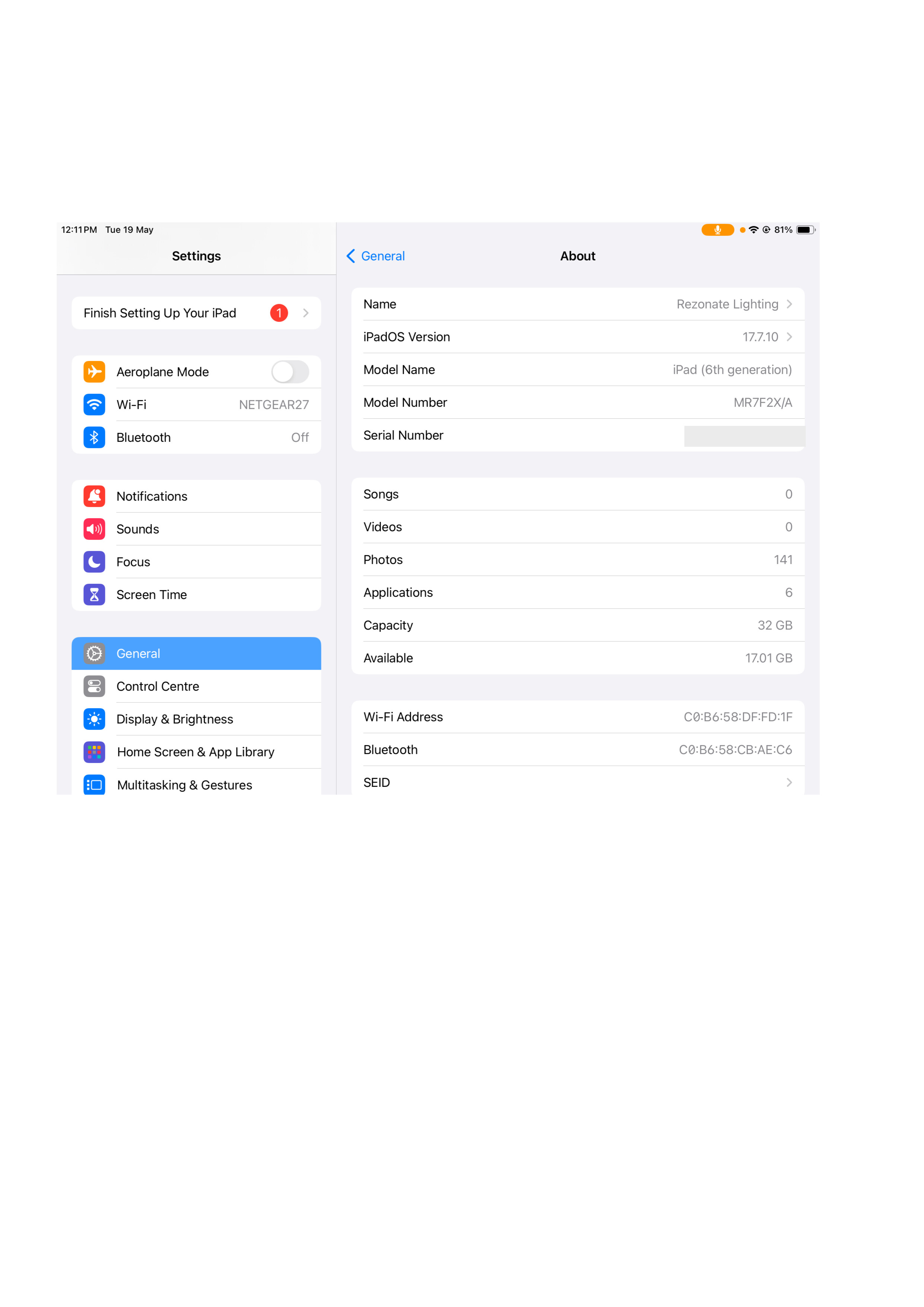
Hi, thanks for your response. I’ve made a video demonstrating the issue, and a pic showing the specs for my main lighting iPad. But it’s the same on every iPad I’ve tried it on, including an iPad Pro 6th gen. I make a preset just for one fixture. But when I select that preset it also affects other fixtures not in that group, and not in that preset. I’m assuming that shouldn’t happen. It works fine on the ‘Live’ page. But it would be great to be able to select multiple presets on the ‘Light Control’ page, especially when making more complex presets.
Having multiple ‘Live’ pages is a great feature - well done! It’s meant the app is now usable for live gigs for me. I really like the look of the app, & the way you can customise the pages.
I can’t seem to upload the video, so here’s a link to the video on dropbox:
Ok, that’s not listing the link, and I can’t get the video to play from here. Please let me know if you can’t access it, and how I can get the link/video to you.
Unfortunately for you, that’s actually the normal behavior of Photon. When you apply a preset from this view, it deactivates the previous one (so the state it just applied).
From the Light Control view, you can’t:
•	apply several presets at once (you’ll need to go through the Live view for that)
•	make the state of recently applied presets persistent (in a layering/stacking mode)
It’s a design choice in Photon, maybe not the right one, it really depends on usage. In any case it’s a really interesting point.
From what I understand, you’d like preset applications to stack on top of each other rather than replace one another, is that right?
Glad to hear the multi-page Live feature is working well for you and that the app is now usable for your live gigs, that’s great to hear!
And here is a clear reason not to rely solely on ChatGPT. I have literally, and I am not over exaggerating, spent at least 30+ hours over the last week having ChatGPT assure me Photon 2 was capable of running fixture groups simultaneously. Today I decided to Google it and found the answer in less than 5 minutes in a human forum. LOL!
First of all, this is not a bashing comment. I really like Photon 2. I’m excited to try my objective in Live mode. I’m praying that it works.
Here is my goal. I have three stage wash presets, blue, orange, and red. I have a master fixture group that contains all of my wash pars, 8 32 LED pars, and 4 front line LED spots. I have four Spot groups that contain 1 each of the same spot fixtures in my Master Wash group, stage right, stage right middle, stage left middle, and stage left. (Singer, Drummer, Keyboard, Bass). I have four spot presets by the same name as the groups. I simply want to select a stage wash preset, and then tap a spot preset on whoever is singing or soloing, while changing the other 3 spots to the current color wash color scheme. The problem is that it always changes the wash color when I tap any given Spot preset. I have tried dozens of approaches to no avail. Wish me luck. I will follow up with my results. Cheers!
Hahaha thank you ChatGPT ! We are not useless (yet).
Thanks for the kind words (and the honesty, no offense taken at all). Really glad you’re enjoying Photon 2.
When you recall a preset directly from the Light Contrôles view, it applies on its own and clears whatever preset was active before it. Presets recall exclusively by design, so tapping a Spot preset overrides your Wash preset, which is exactly the color change you’re seeing.
To get the layered behavior you’re after, build it on the Dashboard rather than firing presets one after another. If I’ve understood your rig right:
One Dashboard button mapped to a preset that drives all of your wash fixtures (your blue / orange / red looks).
One Dashboard button per spot (singer, drummer, keyboard, bass).
Because Dashboard buttons hold their own state, triggering them one at a time stacks them instead of replacing each other. So you tap your wash look, then tap the spot for whoever’s soloing, and the wash stays put underneath while the spot sits on top.
Give that a shot and let me know if it works for you. Good luck in Live mode, fingers crossed it does the trick. Cheers!